The new CC, an AI agent built for families
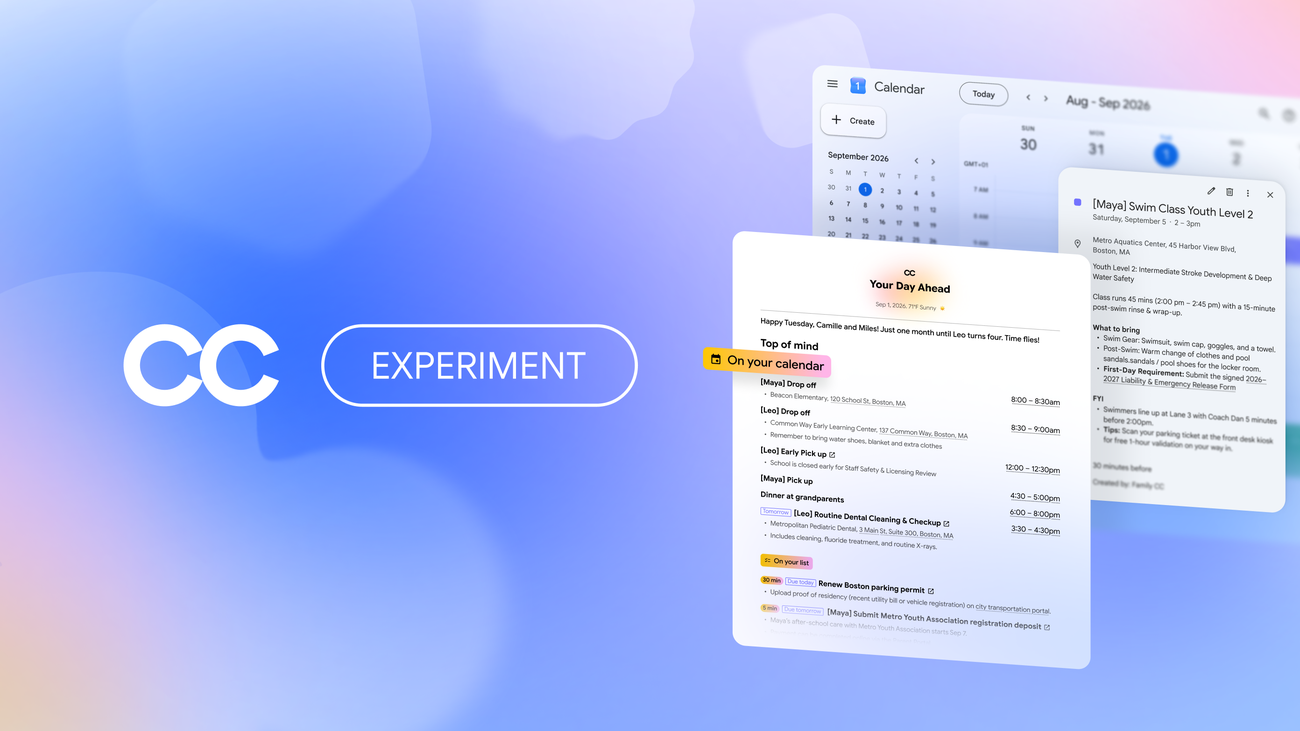
Google Labs introduced CC as a personal agent designed to help users get ahead of their day; it became a daily habit for early testers and in May was brought to the Gemini App as Daily Brief. One of the top user requests was for CC to do more to help run a busy home, since managing a household is often a shared responsibility involving school schedules, sports practices, paying bills, and deciding what’s for dinner, with information spread across multiple user accounts.
CC is now becoming an agent for families and households. It has its own Google account, giving it a distinct identity and a clear permissions model, and enabling up to six members to manage and collaborate with the agent. CC only sees what each member chooses to share — such as emails from a child’s school, the local swim center, or the vet — and automatically sorts through them to create a shared daily brief connected to Calendar and Tasks. The goal is to help families spend less time coordinating logistics and more time together.
The family features include a shared “Your Day Ahead” brief delivered each morning, so logistical information does not stay trapped in one person’s inbox or mental checklist. Everyone can see who needs to be where, what needs to be done, and what CC already completed yesterday; family members can be added to the CC and relevant information pulled into the brief. CC also tracks important dates and to-dos, pulls relevant shared information into a family Calendar or Task list, and helps keep them updated as things change, including automatically adding calendar events based on what the family shares. It can take on time-consuming tasks such as filling out permission slips or activity registration PDFs, creating school supply shopping lists, and crafting weekly meal plans. When details are missing, CC asks for them and updates its group memory so it can be more helpful next time, and it can take action like filling out forms with permission.
On control, CC now has its own verified Google Account, which is how it shows up when interacting with the group. It only responds to group members and, according to the excerpt, will not take action or share information outside the group without permission.